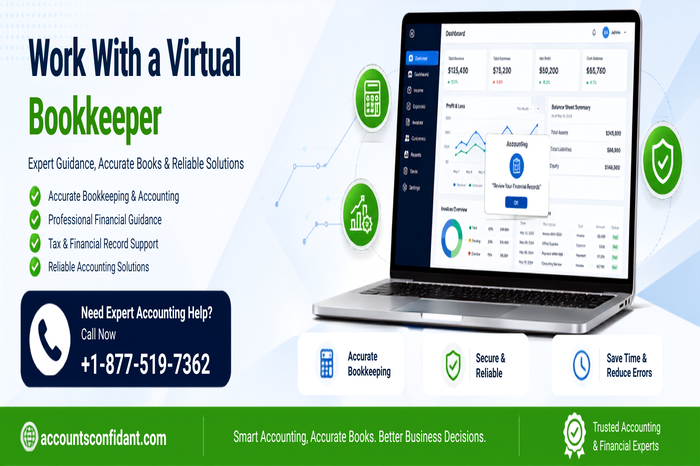
Managing bookkeeping can become difficult as a business grows. Recording transactions, reconciling bank accounts, tracking invoices, monitoring expenses, and preparing financial reports all require time and attention. For many small businesses, hiring a full-time in-house bookkeeper may not be necessary or cost-effective.
Working with a virtual bookkeeper can provide professional bookkeeping support remotely while allowing business owners to focus on customers, operations, and growth.
A virtual bookkeeper can handle routine financial tasks through secure online systems and accounting software. The key to a successful relationship is choosing the right professional, defining responsibilities clearly, and establishing an efficient communication process.
What Is a Virtual Bookkeeper?
A virtual bookkeeper is a bookkeeping professional who provides services remotely rather than working from the client’s physical office.
Instead of maintaining paper records or meeting in person, a virtual bookkeeper can use accounting software, cloud-based document storage, secure file-sharing systems, email, and video communication to manage financial records.
Depending on the agreement, a virtual bookkeeper may handle:
- Recording and categorizing financial transactions
- Bank and credit card reconciliation
- Accounts payable
- Accounts receivable
- Invoice and expense tracking
- Financial statement preparation
- Bookkeeping cleanup
- Payroll-related bookkeeping
- Maintaining organized financial records
- Providing regular financial reports
The exact responsibilities depend on the business’s needs and the services included in the engagement.
Why Work With a Virtual Bookkeeper?
One of the biggest advantages of virtual bookkeeping is flexibility. A business can receive professional bookkeeping assistance without necessarily hiring a full-time employee.
1. Save Valuable Time
Bookkeeping can take hours each week, especially when transactions, invoices, receipts, and bank statements are handled manually.
Delegating these recurring tasks allows business owners to spend more time on sales, customers, employees, and strategic planning.
2. Reduce Administrative Work
A virtual bookkeeper can take responsibility for routine financial recordkeeping. This can reduce the administrative burden on owners and managers.
Instead of spending time determining where transactions belong or reconciling accounts, business owners can focus on reviewing completed reports and making decisions based on financial information.
3. Maintain More Organized Books
Consistent bookkeeping makes it easier to keep financial information organized. Regular transaction recording and reconciliation can help identify discrepancies and missing information earlier.
4. Get Regular Financial Reports
Depending on the engagement, a virtual bookkeeper can prepare reports that help you understand revenue, expenses, receivables, payables, and overall financial performance.
Having updated financial information can make business planning easier.
5. Get Flexible Support
Not every company needs a full-time bookkeeper. A virtual arrangement can be structured around the company’s transaction volume and bookkeeping requirements.
A small business may need monthly bookkeeping, while a growing company may require weekly bookkeeping and more frequent reporting.
What Does a Virtual Bookkeeper Do?
The responsibilities of a virtual bookkeeper can vary significantly from one business to another.
Common responsibilities include:
Recording Transactions
The bookkeeper records income, purchases, expenses, payments, and other financial transactions in the accounting system.
Bank Reconciliation
Bank reconciliation involves comparing accounting records with bank statements to identify differences and ensure transactions have been recorded correctly.
Accounts Payable
A virtual bookkeeper can track bills owed to vendors, organize payable records, and maintain information about outstanding obligations.
Accounts Receivable
Accounts receivable management can include tracking customer invoices, monitoring outstanding balances, and maintaining accurate customer payment records.
Financial Reporting
Depending on the service agreement, the bookkeeper may prepare financial statements and other reports that help business owners understand their financial position.
Bookkeeping Cleanup
If your books contain old unreconciled transactions, duplicate entries, incorrect classifications, or missing records, a virtual bookkeeper may also provide cleanup services.
How to Start Working With a Virtual Bookkeeper
The process does not have to be complicated. A structured approach can make the transition easier.
Step 1: Identify Your Bookkeeping Needs
Before hiring a bookkeeper, determine which tasks you need help with.
For example, you may only need bank reconciliation and transaction categorization. Another business may require accounts payable, accounts receivable, payroll bookkeeping, financial reporting, and historical cleanup.
Creating a list of your requirements makes it easier to find the right service.
Step 2: Review Your Current Books
Look at the current condition of your accounting records.
Determine whether your books are current, whether accounts have been reconciled, and whether there are old transactions that need attention.
Be honest about existing problems. Giving the bookkeeper a clear picture of the situation allows them to create a more accurate plan.
Step 3: Choose the Right Accounting Software
Make sure the virtual bookkeeper has experience with the accounting platform your business uses.
Businesses may use platforms such as QuickBooks, Sage, FreshBooks, or other accounting systems. Accounts Confidant states that its accounting professionals work with multiple financial software platforms.
Step 4: Define the Scope of Work
Clearly establish what the bookkeeper will handle.
Your agreement should explain:
- Services included
- Reporting frequency
- Communication methods
- Document submission process
- Deadlines
- Pricing
- Additional services
- Cleanup responsibilities
- Who handles tax preparation
- Who approves financial transactions
Clear expectations can prevent confusion later.
Step 5: Establish Secure Access
A virtual bookkeeper may need access to accounting software and financial documents.
Whenever possible, provide individual user access and appropriate permissions rather than sharing your primary passwords.
Access should be limited to the information required to perform the agreed responsibilities.
Step 6: Create a Document-Sharing Process
Decide how receipts, invoices, statements, and other financial documents will be shared.
A centralized and organized system can make remote bookkeeping more efficient and reduce the possibility of missing important documents.
Accounts Confidant describes a workflow in which clients can provide financial documents through email, accounting software access, or online storage, after which the bookkeeping team processes the records and provides reports for review.
Questions to Ask Before Hiring a Virtual Bookkeeper
Choosing a virtual bookkeeper should involve more than comparing prices.
Consider asking:
Do you have experience with businesses like mine?
Industry experience can help a bookkeeper understand common transactions and financial workflows associated with your business.
Which accounting software do you use?
Confirm that the bookkeeper understands the accounting software your company relies on.
What services are included?
Ask whether reconciliation, accounts payable, accounts receivable, payroll bookkeeping, reporting, and cleanup are included in the regular fee.
How often will I receive reports?
Some businesses need weekly information, while others may be comfortable with monthly reports.
How quickly do you respond to questions?
Agree on normal response times and determine how urgent issues will be handled.
Who will work on my books?
If you are hiring a bookkeeping company, find out whether one dedicated bookkeeper or a team will manage your account.
How is my financial information protected?
Ask how documents are shared, stored, and protected and what access permissions are required.
What happens if an error is discovered?
Understand how bookkeeping mistakes are identified, corrected, and communicated.
Virtual Bookkeeping vs. In-House Bookkeeping
An in-house bookkeeper works directly from your business location or as an employee of your company. A virtual bookkeeper works remotely and communicates using digital tools.
Virtual bookkeeping can be particularly useful for small businesses that do not need a full-time employee dedicated to bookkeeping.
The decision depends on transaction volume, business size, budget, required services, and the level of bookkeeping support needed.
For companies considering remote financial support, Accounts Confidant offers
Virtual Bookkeeping Services designed around bookkeeping, reconciliation, financial reporting, and related accounting requirements.
How to Build a Good Relationship With Your Virtual Bookkeeper
Hiring a qualified bookkeeper is only the beginning. Good collaboration is important for long-term success.
Communicate Regularly
Set a predictable communication schedule. Depending on your business, this could mean weekly updates, monthly meetings, or communication whenever an important issue arises.
Submit Documents on Time
Your bookkeeper cannot complete accurate records without the required documents.
Create a regular routine for submitting bank statements, receipts, invoices, bills, and other supporting information.
Explain Unusual Transactions
If a transaction is unusual or unclear, provide context. This helps the bookkeeper classify it appropriately and reduces unnecessary follow-up questions.
Review Reports
Do not wait until tax season to review your financial reports.
Regular reviews can help you identify unexpected expenses, unusual transactions, missing revenue, or other issues earlier.
Update Your Bookkeeper About Business Changes
Inform your bookkeeper when your business opens a new bank account, adds a payment platform, hires employees, changes its business model, or introduces a new revenue stream.
These changes can affect how your books should be maintained.
When Should You Consider Outsourcing Bookkeeping?
You may want to consider outsourcing when bookkeeping begins taking too much of your time or when your financial records are becoming difficult to maintain.
Common signs include:
- You are consistently behind on bookkeeping.
- Bank accounts are not reconciled regularly.
- Invoices and bills are difficult to track.
- You do not have current financial reports.
- You spend too much time managing spreadsheets.
- Your business is growing quickly.
- Your accounting workload has become more complicated.
- You need professional bookkeeping support without hiring a full-time employee.
If you are evaluating external support,
Outsourcing Bookkeeping Services can be an option for businesses that want recurring bookkeeping assistance without maintaining the entire function in-house.
Benefits of Working With a Virtual Bookkeeper for a Growing Business
As a company grows, bookkeeping requirements often become more complicated.
More customers can mean more invoices. More employees can mean additional payroll-related records. More transactions can make reconciliation more time-consuming.
A virtual bookkeeper can help create a structured process for maintaining these records.
The benefits can include:
- Better-organized financial records
- Regular account reconciliation
- Reduced bookkeeping workload
- More accessible financial information
- Flexible bookkeeping support
- Assistance with accounts payable and receivable
- More consistent financial reporting
- Less administrative work for business owners
Accounts Confidant also emphasizes updated books, regular reconciliation, financial reports, and outsourced accounting support as part of its approach to helping businesses manage their finances.
Final Thoughts
Work with a virtual bookkeeper can be an effective way to manage bookkeeping without adding the cost and logistics of a traditional in-house position.
The most important step is to establish a clear working relationship from the beginning. Define responsibilities, agree on communication, organize document sharing, provide appropriate account access, and review financial reports regularly.
When these processes are in place, a virtual bookkeeper can become a valuable part of your business’s financial workflow and give you more time to focus on running and growing the company.
Frequently Asked Questions
What is the best way to work with a virtual bookkeeper?
The best approach is to establish clear responsibilities, deadlines, communication methods, document-sharing procedures, and reporting expectations before work begins. Regular communication and timely document submission can make the relationship more effective.
Is hiring a virtual bookkeeper worth it for a small business?
Yes, it can be worthwhile when bookkeeping takes too much time away from running the business. A virtual bookkeeper can provide professional support without necessarily requiring a full-time in-house position.
What should I give my virtual bookkeeper access to?
Give the bookkeeper access only to the financial systems and documents necessary for their responsibilities. This may include accounting software, bank statements, invoices, receipts, and other bookkeeping records. Use individual accounts and appropriate permissions whenever possible.
How often should a virtual bookkeeper update my books?
The appropriate frequency depends on your transaction volume and business needs. Monthly bookkeeping may work for a small business with fewer transactions, while businesses with higher activity may benefit from weekly or more frequent updates.
Can a virtual bookkeeper work with QuickBooks?
Yes. Many virtual bookkeepers work with QuickBooks and other accounting platforms. Before hiring one, confirm that they have experience with the specific QuickBooks version or platform your business uses.
How much does a virtual bookkeeper cost?
The cost varies depending on transaction volume, services required, business complexity, bookkeeping frequency, and whether cleanup work is necessary. Ask for a clear scope of work and pricing structure before starting.
Can a virtual bookkeeper clean up old bookkeeping?
Many bookkeeping professionals offer cleanup services. They can review historical transactions, reconcile accounts, identify errors, and organize outdated records. Confirm that cleanup work is included before beginning the engagement.
What questions should I ask a virtual bookkeeper before hiring them?
Ask about their experience, accounting software knowledge, services, pricing, communication schedule, response time, security practices, reporting process, and how they handle bookkeeping errors.
How do I know if I need a virtual bookkeeper or an accountant?
A bookkeeper generally focuses on maintaining and organizing financial records, recording transactions, reconciling accounts, and producing routine reports. An accountant may provide higher-level financial analysis, tax-related services, planning, or other specialized accounting work. Some businesses use both professionals.
How can I communicate effectively with a remote bookkeeper?
Agree on one or two primary communication channels, establish response expectations, schedule regular reviews, and provide complete information when answering questions about transactions. Consistent communication is especially important when working remotely.
Is virtual bookkeeping secure?
Virtual bookkeeping can be managed securely when appropriate access controls, secure document-sharing methods, strong authentication, and good data-handling practices are used. Before hiring a provider, ask how financial information is protected and what access they require.
What are the biggest advantages of working with a virtual bookkeeper?
The main advantages can include saving time, reducing administrative work, accessing professional bookkeeping expertise, maintaining organized records, receiving regular financial reports, and getting flexible support without necessarily hiring a full-time in-house bookke














Leave a Reply