

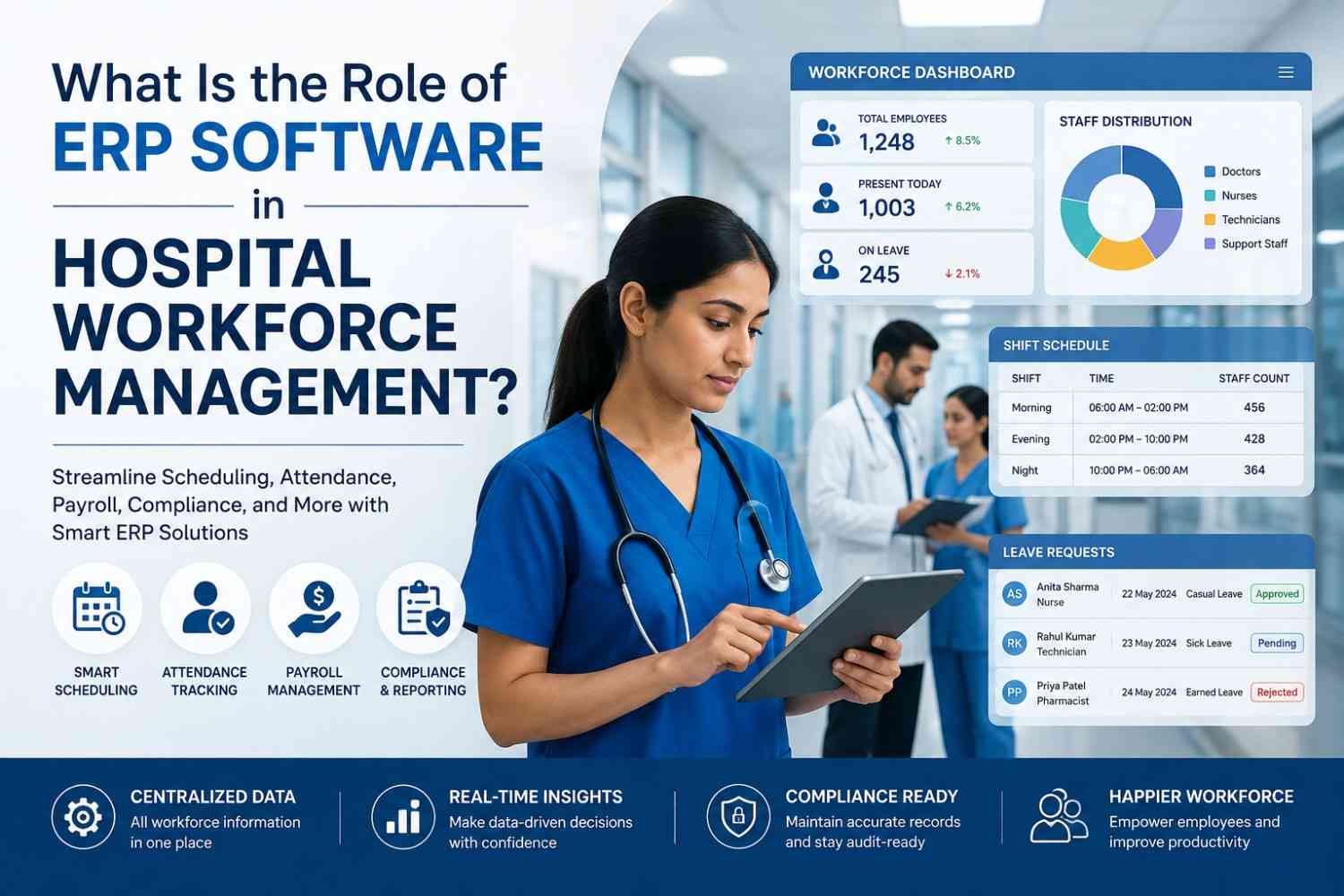
Managing a hospital workforce is not as simple as assigning people to shifts and hoping everything goes according to plan. Hospitals operate around the clock, which means doctors, nurses, technicians, administrative teams, and support staff must be available at the right time and in the right department. One unexpected absence can turn a carefully planned schedule into a small operational puzzle.
This is where ERP software for hospitals can make a meaningful difference. By bringing workforce planning, attendance, leave, payroll, scheduling, and reporting into a centralized platform, ERP helps hospitals manage their workforce more efficiently. Instead of depending on disconnected spreadsheets and manual processes, hospital administrators can work with consistent and accessible information.
At KanhaSoft, we have seen how operational complexity can grow when departments rely on separate systems. The good news? Technology can simplify that complexity—provided it is designed around the actual workflow rather than forcing the workflow to fit the software.
What Is Hospital Workforce Management?
Hospital workforce management refers to the processes used to organize, monitor, and optimize employees across different departments and shifts.
It typically includes:
- Employee scheduling
- Shift planning
- Attendance tracking
- Leave management
- Overtime monitoring
- Payroll coordination
- Employee records
- Skill and qualification tracking
- Workforce forecasting
- Performance reporting
Unlike conventional businesses, hospitals cannot simply close the doors when the working day ends. Emergency departments, intensive care units, laboratories, pharmacies, and other services may operate continuously.
That creates a workforce management environment where timing, availability, qualifications, and staffing requirements all matter.
A scheduling system that looks perfectly organized on Monday morning may need several changes by Monday afternoon. Someone takes emergency leave, another employee works overtime, and suddenly the spreadsheet starts looking less like a workforce plan and more like a detective investigation.
Why Is Workforce Management Challenging for Hospitals?
Hospitals deal with several workforce management challenges simultaneously.
24/7 Operations
Healthcare organizations often require staff coverage throughout the day and night. Different departments may follow different shift patterns, making centralized scheduling difficult without the right technology.
Multiple Staff Categories
Doctors, nurses, technicians, receptionists, pharmacists, cleaners, administrators, and other employees have different responsibilities and qualifications.
A hospital cannot simply fill a vacant shift with whoever happens to be available.
Unexpected Absences
Illness, emergencies, leave, and personal circumstances can create sudden staffing gaps. Managers need to respond quickly without disrupting essential services.
Overtime Management
When employees work additional hours, those hours need to be tracked accurately. Manual calculations can increase the possibility of payroll discrepancies.
Compliance Requirements
Healthcare organizations must maintain accurate employee records, certifications, licenses, training information, and other workforce documentation.
Disconnected Systems
When HR, attendance, payroll, scheduling, and departmental information exist in separate systems, employees may end up entering the same information multiple times.
That is where an integrated ERP platform becomes particularly useful.
What Is the Role of ERP Software in Hospital Workforce Management?
The primary role of ERP software is to connect workforce-related processes within a centralized system.
Rather than managing scheduling, attendance, payroll, leave, and employee information independently, hospitals can bring these functions together.
For example, an employee’s approved leave can influence workforce availability. Attendance data can contribute to payroll calculations. Overtime information can be reflected in workforce reports. Employee qualifications can help managers assign suitable staff to specific roles.
This connected approach creates better visibility across the organization.
ERP does not replace hospital administrators or HR professionals. Instead, it provides them with better information and automation so they can spend less time handling repetitive administrative tasks and more time making operational decisions.
Key Features of ERP Software for Hospital Workforce Management
1. Centralized Employee Database
A centralized employee database allows hospitals to maintain workforce information in one place.
Records can include:
- Employee details
- Department
- Job role
- Experience
- Qualifications
- Certifications
- Employment status
- Attendance history
- Leave records
- Payroll information
This reduces duplicate records and makes employee information easier to access.
When HR teams and department managers work with the same data, there is less room for the classic “Which spreadsheet is the latest one?” problem.
2. Automated Staff Scheduling
Staff scheduling is one of the most valuable ERP capabilities for hospitals.
The system can help managers create schedules based on factors such as:
- Staff availability
- Department requirements
- Shift timings
- Employee roles
- Skills
- Approved leave
- Working-hour limits
Automated scheduling can reduce manual work and make it easier to identify staffing conflicts.
Managers can also make changes when circumstances change, rather than rebuilding schedules from scratch.
3. Attendance and Time Tracking
ERP systems can centralize employee attendance and working-hour information.
Depending on the implementation, attendance may be captured through biometric systems, employee applications, web-based interfaces, or integrated attendance platforms.
The resulting data can support:
- Working-hour calculations
- Overtime tracking
- Payroll processing
- Attendance reporting
- Workforce analysis
This reduces dependence on manual attendance records and improves data consistency.
4. Leave and Absence Management
Managing leave becomes more complicated when hundreds or thousands of employees work across multiple departments.
An ERP platform can allow employees to submit leave requests digitally while managers review and approve them.
Once approved, leave information can automatically influence workforce availability.
This gives managers better visibility into upcoming staffing gaps and makes workforce planning more predictable.
5. Payroll and Overtime Management
Payroll is closely connected to workforce management.
Attendance, overtime, allowances, working hours, and leave information can all influence payroll calculations.
With an integrated ERP system, relevant workforce information can move between modules instead of requiring HR teams to manually collect data from different sources.
This can reduce repetitive administrative work and help improve payroll accuracy.
6. Skill and Qualification Tracking
Not every employee can perform every role.
Hospitals need to know which professionals have the necessary qualifications, certifications, training, and experience for specific responsibilities.
ERP systems can maintain these records and provide visibility into employee qualifications.
Managers can then use this information when planning staff assignments and identifying upcoming certification or training requirements.
7. Workforce Analytics and Reporting
Data becomes considerably more useful when it can answer business questions.
ERP dashboards can help hospital administrators monitor metrics such as:
- Staff utilization
- Absenteeism
- Overtime
- Staffing levels
- Department workforce requirements
- Leave patterns
- Workforce costs
Instead of relying entirely on manually prepared reports, management can use centralized data to identify trends and operational gaps.
How Does ERP Improve Hospital Staff Scheduling?
Hospital scheduling requires more than simply filling empty slots.
Managers need to consider employee availability, skills, qualifications, department requirements, working hours, leave, and shift patterns.
An ERP system can bring these variables together.
For example, if a department requires additional qualified staff for a particular shift, managers can review available employees and their relevant qualifications. If an employee is on approved leave, that information can already be reflected in workforce availability.
This creates a more structured scheduling process.
The result is not necessarily “perfect scheduling”—because hospitals will always have surprises—but it can make those surprises considerably easier to manage.
How Can ERP Help Hospitals Reduce Workforce Costs?
Workforce expenses represent a significant operational consideration for hospitals.
ERP can help management identify where workforce resources are being used and where inefficiencies may exist.
For example, workforce analytics can reveal:
- Frequent overtime
- Underutilized staff
- Repeated absenteeism patterns
- Staffing imbalances
- Department-specific workforce costs
Better visibility can help administrators make informed decisions about staffing requirements.
ERP does not magically reduce salaries or operational expenses. Instead, it helps organizations understand workforce data and identify opportunities to use available resources more efficiently.
That distinction matters.
Good software does not promise miracles—it provides better information for better decisions.
How Does ERP Support Employee Productivity?
Administrative work can consume significant amounts of time in large healthcare organizations.
Employees may otherwise spend time:
- Checking schedules
- Submitting leave requests
- Updating records
- Following up on approvals
- Verifying attendance
- Communicating workforce changes
ERP can automate or simplify many of these activities.
Employees can access relevant information through centralized systems, while managers can monitor requests and approvals from a common platform.
The objective is not to make healthcare workers “work faster.” The objective is to remove unnecessary administrative friction so their time can be used more effectively.
How Does ERP Support Compliance and Workforce Records?
Healthcare organizations must maintain accurate workforce documentation.
Depending on the organization’s requirements, records may include certifications, licenses, training history, attendance, leave, and other employee information.
A centralized ERP platform can make it easier to maintain and monitor these records.
For example, administrators may receive notifications when certain certifications or documents are approaching renewal.
This can help organizations maintain better workforce visibility and reduce the risk of important information being overlooked.
ERP Integration With Other Hospital Systems
Workforce management rarely operates independently.
A hospital may already use systems for:
- Patient management
- Hospital administration
- Accounting
- Inventory
- Payroll
- Human resources
- Laboratory operations
- Pharmacy management
ERP integration can connect relevant information between these systems.
APIs and integration services can help transfer data without requiring employees to repeatedly enter the same information.
For example, HR information can connect with payroll, while workforce information can support departmental planning.
The result is a more connected technology environment with fewer isolated data silos.
What Are the Benefits of ERP-Based Hospital Workforce Management?
Implementing an integrated ERP approach can provide several benefits.
Better Workforce Visibility
Management can access centralized workforce information instead of relying on separate spreadsheets and applications.
Improved Scheduling
Managers can create and update staff schedules with better visibility into availability and requirements.
Reduced Administrative Work
Automation can reduce repetitive data entry and manual calculations.
Better Payroll Accuracy
Integrated attendance, leave, overtime, and payroll information can reduce discrepancies.
Improved Workforce Utilization
Analytics can help identify staffing patterns and resource utilization.
Faster Decision-Making
Managers can use real-time or regularly updated data to support operational decisions.
Improved Scalability
A well-designed ERP platform can support workforce growth as hospitals add employees, departments, locations, or services.
Custom ERP vs. Generic Workforce Management Software for Hospitals
How Can Hospitals Successfully Implement ERP for Workforce Management?
ERP implementation should begin with process analysis—not software selection.
Hospitals should first identify how workforce management currently works and where the biggest operational gaps exist.
A practical implementation process can include:
- Analyze existing workforce workflows.
- Identify manual processes and bottlenecks.
- Define functional requirements.
- Select relevant ERP modules.
- Plan system integrations.
- Clean and migrate employee data.
- Configure roles and permissions.
- Train HR and department teams.
- Test workflows before deployment.
- Monitor performance after launch.
Employee training should receive particular attention.
Even the most sophisticated ERP system cannot deliver results if employees do not understand how to use it. Software adoption is part technology and part change management.
Common Challenges When Implementing ERP for Hospital Workforce Management
ERP implementation can also introduce challenges.
Employee Resistance
Employees accustomed to existing processes may initially resist new systems.
Legacy Data Problems
Old employee records may contain duplicates, outdated information, or inconsistent formats.
Integration Complexity
Connecting ERP with existing hospital systems can require careful technical planning.
Training Requirements
Different users may require different levels of training depending on their roles.
Data Security
Employee information must be protected through appropriate access controls, authentication, encryption, and security practices.
Implementation Costs
ERP implementation requires investment in software, development, integration, training, and ongoing maintenance.
The solution is careful planning.
A hospital should avoid trying to automate every process simultaneously. A phased implementation can make adoption easier and provide opportunities to improve the system based on real-world feedback.
What Should Hospitals Consider Before Choosing ERP Software?
Before selecting an ERP platform, hospitals should evaluate:
- Scalability
- Workforce scheduling capabilities
- Employee data management
- Payroll integration
- Healthcare-specific workflows
- Reporting and analytics
- API capabilities
- Mobile access
- Security controls
- Role-based permissions
- Customization
- Vendor support
- Total cost of ownership
The right ERP is not necessarily the platform with the longest feature list.
It is the platform that solves the organization’s actual operational problems without creating five new ones.
What Is the Future of ERP in Hospital Workforce Management?
The future of hospital workforce management is moving toward more intelligent and predictive systems.
AI and advanced analytics can potentially help organizations forecast workforce requirements, identify staffing patterns, and support more intelligent scheduling.
Future ERP platforms may increasingly support:
- AI-assisted scheduling
- Workforce demand forecasting
- Predictive absenteeism analysis
- Automated reporting
- Real-time workforce dashboards
- Mobile workforce management
- Intelligent resource allocation
This evolution can transform ERP from a system primarily used for record management into a decision-support platform.
The important point is that technology should remain practical. AI may help identify patterns, but hospitals still need experienced people to make final operational decisions.
Conclusion
Hospital workforce management involves far more than creating employee schedules. It requires continuous coordination between people, departments, shifts, payroll, qualifications, attendance, and operational requirements.
An ERP platform can bring these processes together and provide hospitals with a centralized source of workforce information. From automated scheduling and attendance tracking to payroll coordination and workforce analytics, the right solution can reduce administrative complexity and improve operational visibility.
At KanhaSoft, we believe technology works best when it quietly solves problems in the background—rather than becoming another problem that needs solving.
For hospitals planning their next stage of digital transformation, the goal should not simply be to implement an ERP system. The goal should be to build a workforce management environment that is connected, scalable, secure, and designed around real healthcare workflows.
Because when hospital operations run smoothly, everyone benefits—including the people who actually need the hospital most.
FAQs
What is ERP software in hospital workforce management?
ERP software helps hospitals centralize and manage workforce processes such as employee records, scheduling, attendance, leave, payroll, qualifications, and workforce reporting.
How does ERP improve hospital staff scheduling?
ERP can bring employee availability, shift requirements, leave, qualifications, and department staffing needs into one system, making scheduling more organized and easier to update.
Can ERP reduce hospital workforce management costs?
ERP can help identify overtime, staffing inefficiencies, absenteeism patterns, and workforce utilization trends. This information can support better workforce cost management.
Can ERP manage doctors and nurses’ schedules?
Yes. ERP systems can support role-based scheduling for doctors, nurses, technicians, administrative staff, and other hospital employees based on availability, department requirements, and qualifications.
Does ERP software integrate with hospital management systems?
Yes. ERP platforms can integrate with hospital management, HR, payroll, accounting, inventory, and other systems using APIs and other integration methods.
Is custom ERP software suitable for hospitals?
Custom ERP can be suitable when a hospital has complex workflows, specialized workforce requirements, multiple departments, or integration needs that generic software cannot easily accommodate.
How does ERP support healthcare workforce compliance?
ERP can centralize employee documentation, certification information, training records, attendance, and other workforce data, helping administrators maintain more organized records.
Can hospital employees access ERP systems through mobile devices?
Yes. Depending on the ERP solution, employees can use mobile applications or responsive interfaces to view schedules, submit leave requests, receive notifications, and access relevant workforce information.
























Leave a Reply