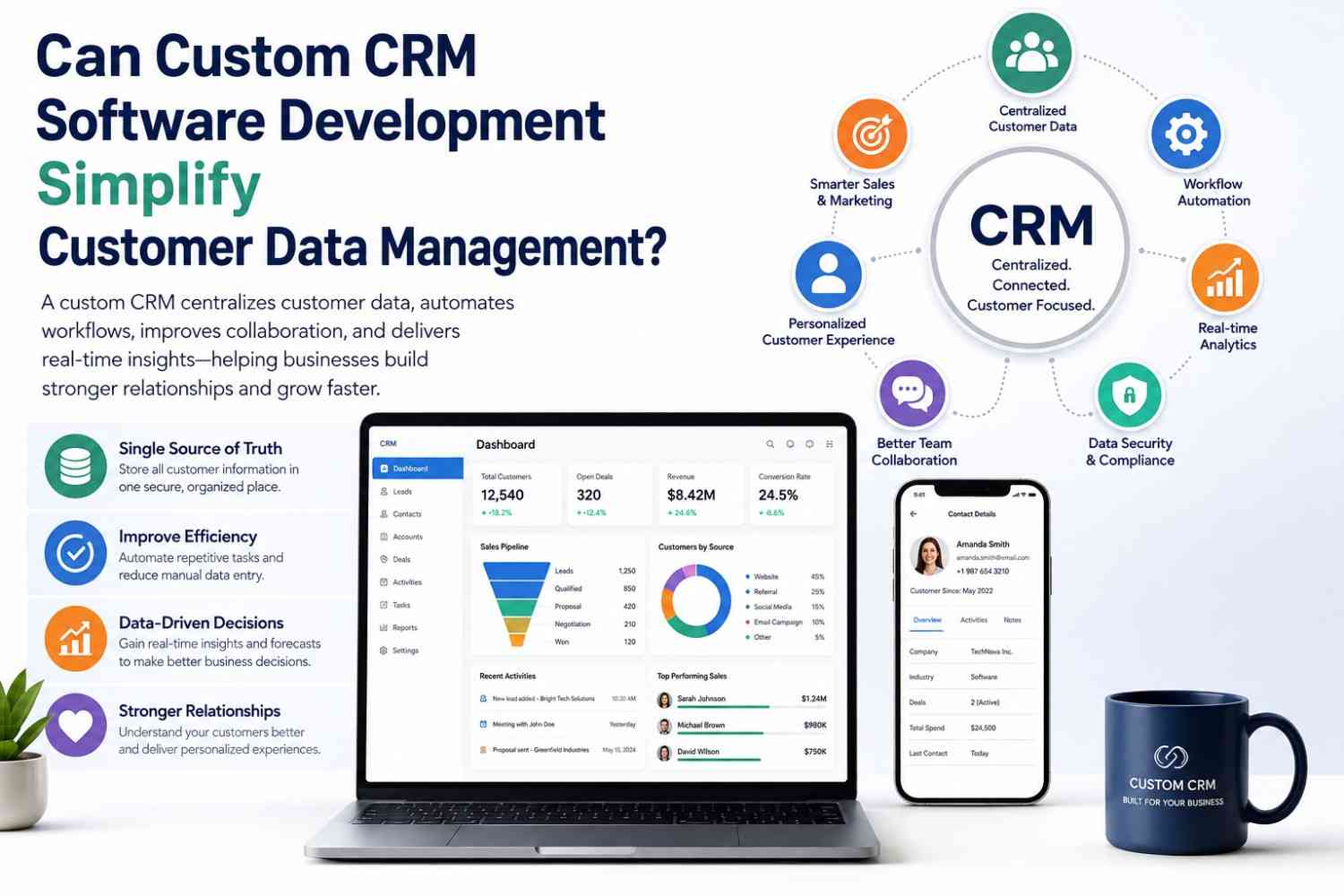
Customer information is one of the most valuable assets a business owns, but managing it effectively becomes increasingly difficult as organizations grow. Customer records often become scattered across spreadsheets, email platforms, marketing tools, support systems, and accounting software. This fragmented approach leads to duplicate records, inconsistent data, missed opportunities, and inefficient workflows that affect customer satisfaction and business performance.
Custom CRM software development offers a practical solution by creating a centralized platform tailored to an organization’s unique processes. Unlike generic CRM applications that require businesses to adapt their workflows, a custom CRM is designed around existing operations while remaining flexible enough to support future growth. It enables teams to access accurate customer information, automate repetitive tasks, and make informed decisions using real-time insights.
In this guide, we explore whether custom CRM software development can truly simplify customer data management, the features that make it effective, and why many growing businesses are choosing customized CRM solutions over off-the-shelf alternatives.
What Is Custom CRM Software Development?
Custom CRM software development is the process of designing, building, and maintaining a Customer Relationship Management system that is specifically tailored to a company’s workflows, objectives, and operational requirements. Rather than relying on standard features included in commercial CRM platforms, businesses receive software that aligns with their unique sales processes, customer service strategies, marketing campaigns, and reporting needs.
A custom CRM serves as the central hub for all customer-related information. It stores contact details, communication history, purchase records, support interactions, sales opportunities, contracts, invoices, and marketing activities within a single secure platform.
Unlike ready-made CRM solutions that often include unnecessary features or licensing restrictions, custom CRM software focuses only on the tools a business needs. This results in a cleaner interface, improved productivity, and greater flexibility for future enhancements.
Custom CRM vs. Off-the-Shelf CRM
| Feature | Custom CRM | Off-the-Shelf CRM |
|---|---|---|
| Business-specific workflows | ✔ Fully customized | Limited customization |
| Scalability | High | Depends on vendor |
| Third-party integrations | Unlimited | Limited by platform |
| Ownership | Full ownership | Subscription-based |
| Security controls | Customized | Vendor-defined |
| Long-term flexibility | Excellent | Moderate |
As businesses evolve, their CRM requirements change. A custom-built solution grows alongside the organization without forcing teams to work around software limitations.
Why Customer Data Management Is Challenging
Managing customer information becomes increasingly complex as businesses expand across multiple departments, communication channels, and digital platforms. Without a unified system, valuable customer data quickly becomes fragmented, creating operational inefficiencies and reducing the quality of customer interactions.
Some of the most common challenges include:
1. Data Stored in Multiple Systems
Customer details may exist in spreadsheets, email applications, accounting software, helpdesk tools, ERP systems, marketing platforms, and cloud storage. Teams often struggle to determine which information is accurate.
2. Duplicate Customer Records
Sales representatives, support agents, and marketing teams frequently create separate records for the same customer, leading to confusion and inconsistent communication.
3. Manual Data Entry
Repeatedly entering customer information across different applications wastes valuable time while increasing the risk of human error.
4. Poor Collaboration
Departments often work independently, making it difficult to share customer history, previous conversations, and purchasing behavior.
5. Limited Reporting
Without centralized customer information, generating meaningful reports becomes time-consuming and often produces incomplete business insights.
6. Data Security Risks
Sensitive customer information stored across multiple applications increases exposure to unauthorized access and compliance challenges.
As organizations continue to grow, these problems become more expensive and difficult to manage without a centralized CRM solution.
Can Custom CRM Software Development Simplify Customer Data Management?
The short answer is yes. A well-designed custom CRM transforms scattered customer information into a centralized, organized, and intelligent system that supports every department.
Rather than simply storing customer records, modern CRM platforms streamline the complete customer lifecycle—from lead generation and sales management to customer support, marketing automation, and long-term relationship building.
Centralized Customer Database
One of the greatest advantages of custom CRM software development is creating a single source of truth.
Instead of searching through emails, spreadsheets, or multiple applications, employees can instantly access complete customer profiles containing:
- Contact information
- Company details
- Purchase history
- Sales opportunities
- Meeting notes
- Email communications
- Support tickets
- Contracts
- Payment records
- Marketing engagement
This eliminates duplicate information and ensures every team works with accurate, up-to-date customer data.
Automated Data Collection
Modern CRM systems automatically collect customer information from multiple business applications.
For example, a custom CRM can automatically capture data from:
- Website contact forms
- Live chat systems
- Email marketing software
- ERP systems
- Accounting software
- Payment gateways
- Customer support platforms
- Mobile applications
- Social media campaigns
Automation significantly reduces manual data entry while improving data accuracy.
Improved Customer Segmentation
Businesses often struggle to organize thousands of customer records into meaningful categories.
Custom CRM software allows organizations to segment customers using various criteria such as:
- Industry
- Geographic location
- Purchase history
- Revenue
- Customer lifetime value
- Product interests
- Engagement level
- Sales stage
These intelligent segments improve marketing campaigns, sales targeting, and customer support personalization.
Better Team Collaboration
Every customer interaction becomes visible across departments.
When a salesperson contacts a customer, the support team immediately sees that activity. Marketing teams understand campaign engagement, while management gains visibility into the complete customer journey.
This shared knowledge eliminates communication gaps and creates a more consistent customer experience.
Workflow Automation
Automation removes repetitive administrative work that consumes employee time.
Examples include:
- Automatic lead assignment
- Follow-up reminders
- Quote generation
- Approval workflows
- Email sequences
- Task creation
- Customer onboarding
- Invoice notifications
- Renewal reminders
Employees spend less time updating systems and more time building customer relationships.
Real-Time Analytics
A custom CRM provides decision-makers with dashboards that display:
- Sales performance
- Lead conversion rates
- Customer acquisition costs
- Customer retention
- Revenue forecasts
- Support response times
- Marketing ROI
- Employee productivity
Real-time reporting enables faster, data-driven decisions instead of relying on outdated spreadsheets.
Enhanced Security and Compliance
Customer information requires strong protection.
Custom CRM software can include:
- Role-based access controls
- Multi-factor authentication
- Data encryption
- Activity logs
- Automated backups
- Compliance monitoring
- GDPR-ready workflows
- Audit trails
These security measures reduce operational risks while protecting sensitive business information.
Scalable Architecture
Unlike many commercial CRM platforms that become expensive as organizations grow, custom CRM software is designed for scalability.
New modules can be added over time, including:
- AI-powered customer insights
- Inventory management
- ERP integration
- Mobile applications
- Partner portals
- Customer self-service portals
- Business intelligence dashboards
This flexibility ensures the CRM continues supporting business growth without requiring a complete system replacement.
Key Takeaways from Part 1
Custom CRM software development simplifies customer data management by:
- Centralizing customer information
- Eliminating duplicate records
- Automating data collection
- Improving collaboration across departments
- Enhancing reporting and analytics
- Strengthening data security
- Supporting scalable business growth
- Reducing manual administrative work
In Part 2, we’ll cover:
- Essential Features of a Custom CRM
- Business Benefits
- CRM Development Process
- CRM Integrations
- Industry Use Cases
- Best Practices
Essential Features of a Custom CRM
A successful CRM goes beyond storing customer records. It becomes the operational hub that connects sales, marketing, customer support, and management. When designed specifically for your organization, every feature supports existing workflows rather than forcing teams to adapt to generic software.
1. Centralized Contact Management
The foundation of every CRM is a unified customer database. Every interaction, purchase, support request, and communication is linked to a single customer profile, giving every department access to consistent and accurate information.
2. Lead Management
A custom CRM captures leads from websites, landing pages, emails, social media, and third-party platforms. Leads are automatically assigned to sales representatives, tracked through each stage of the sales funnel, and monitored until conversion.
3. Sales Pipeline Management
Visual sales pipelines help teams monitor opportunities, prioritize high-value prospects, and identify deals that require immediate attention. Managers gain complete visibility into ongoing sales activities and forecast revenue more accurately.
4. Workflow Automation
Automation eliminates repetitive administrative work by handling tasks such as:
- Lead assignment
- Follow-up reminders
- Email notifications
- Quote generation
- Approval workflows
- Contract renewals
- Customer onboarding
- Task creation
These automated workflows improve efficiency while reducing human error.
5. Customer Support Management
Support teams can manage tickets, service requests, complaint histories, and resolutions from one interface. A complete customer history enables faster issue resolution and more personalized service.
6. Reporting and Dashboards
Interactive dashboards provide real-time visibility into key performance indicators, including:
- Sales performance
- Lead conversion rates
- Customer acquisition costs
- Revenue growth
- Customer retention
- Team productivity
- Marketing campaign performance
Executives can make informed decisions based on live business data instead of manually prepared reports.
7. Mobile Accessibility
Modern sales teams often work remotely. A custom CRM allows employees to update records, schedule meetings, access customer profiles, and manage opportunities from smartphones and tablets without compromising security.
8. AI-Powered Insights
Artificial intelligence enhances CRM capabilities by identifying customer trends, predicting sales opportunities, recommending follow-up actions, and detecting customers at risk of leaving. These insights help businesses make proactive decisions instead of reacting after problems occur.
Business Benefits of Custom CRM Software Development
Custom CRM software delivers measurable improvements across multiple business functions.
Improved Data Accuracy
A centralized database minimizes duplicate records, inconsistent customer information, and manual entry errors. Reliable data enables better decision-making across the organization.
Increased Productivity
Employees spend less time searching for information and more time engaging with customers. Automated workflows further reduce repetitive tasks, allowing teams to focus on strategic activities.
Better Customer Experience
With complete visibility into customer interactions, businesses can provide personalized communication, faster support, and consistent service across every touchpoint.
Higher Sales Performance
Sales representatives can prioritize qualified leads, monitor opportunities more effectively, and automate follow-ups. This leads to shorter sales cycles and improved conversion rates.
Enhanced Collaboration
Sales, marketing, customer support, and finance teams all work from the same information source. This shared visibility improves coordination and reduces communication gaps.
Greater Scalability
As the business grows, new modules and integrations can be added without replacing the existing CRM platform. This protects long-term technology investments.
CRM Development Process
Building an effective CRM requires a structured development approach that aligns technology with business objectives.
Step 1: Business Analysis
The project begins by identifying operational challenges, existing workflows, customer management processes, and long-term goals.
Step 2: Requirement Gathering
Development teams collaborate with stakeholders to define required features, integrations, security requirements, reporting needs, and user roles.
Step 3: UI/UX Design
User-friendly interfaces are designed to simplify navigation and minimize employee training. A clean interface encourages higher adoption rates.
Step 4: Database Architecture
Developers design a scalable database structure capable of securely storing customer information while supporting future business growth.
Step 5: Backend Development
The backend manages business logic, security, APIs, automation, authentication, and database communication.
Step 6: Frontend Development
Developers create responsive dashboards, forms, reports, and workflow screens that provide an intuitive user experience across desktop and mobile devices.
Step 7: Integration
The CRM is connected with business systems such as ERP software, accounting platforms, marketing tools, payment gateways, and communication platforms.
Step 8: Testing
Comprehensive testing ensures functionality, performance, security, and compatibility before deployment.
Step 9: Deployment
After successful testing, the CRM is deployed to production with minimal disruption to ongoing business operations.
Step 10: Continuous Improvement
CRM development does not end after launch. Businesses continuously refine workflows, add new features, and optimize performance based on user feedback and changing business requirements.
CRM Integrations That Improve Customer Data Management
One of the greatest strengths of custom CRM software development is seamless integration with existing business applications.
Common integrations include:
| Integration | Business Benefit |
|---|---|
| ERP Systems | Unified operational and customer data |
| Accounting Software | Automatic invoice and payment synchronization |
| Email Platforms | Centralized communication history |
| Marketing Automation | Better lead nurturing and campaign tracking |
| Helpdesk Software | Complete customer service visibility |
| WhatsApp & SMS | Faster customer communication |
| Payment Gateways | Real-time payment tracking |
| E-commerce Platforms | Customer order synchronization |
| Inventory Management | Product availability visibility |
| Business Intelligence Tools | Advanced reporting and analytics |
These integrations eliminate duplicate data entry while ensuring all departments work with accurate, real-time information.
Industries That Benefit from Custom CRM Software Development
Although CRM systems are widely associated with sales teams, nearly every industry benefits from centralized customer data management.
Healthcare
Hospitals and clinics use CRM solutions to manage patient communications, appointment scheduling, follow-ups, and service history while improving patient engagement.
Real Estate
Real estate agencies manage buyer inquiries, property listings, appointments, and client communications from a single platform.
Manufacturing
Manufacturers monitor distributors, suppliers, customer orders, service requests, and long-term business relationships more efficiently.
Retail and E-commerce
Retail businesses personalize marketing campaigns, analyze customer purchasing behavior, and improve loyalty programs using centralized customer information.
Financial Services
Banks, insurance providers, and financial advisors use CRM platforms to securely manage customer relationships while meeting regulatory compliance requirements.
Education
Educational institutions manage admissions, student communications, alumni engagement, and inquiry tracking using customized CRM solutions.
SaaS Companies
Software providers monitor subscriptions, onboarding processes, support interactions, renewals, and customer success initiatives within one integrated platform.
Part 3 will complete the article with:
- CRM Development Best Practices
- Future Trends in CRM Development
- 8–10 SEO-optimized FAQs
- Key Takeaways
- Conclusion
- Strong Kanhasoft Call-to-Action
CRM Development Best Practices
Building a custom CRM is not only about adding features—it is about creating a system that employees use efficiently every day. Following proven development practices helps ensure long-term success, higher adoption rates, and better return on investment.
1. Design Around Business Processes
Every organization has unique workflows for sales, marketing, customer support, and operations. A custom CRM should reflect these existing processes rather than forcing employees to change how they work. Business-focused design improves productivity and reduces training time.
2. Prioritize Data Quality
A CRM is only as valuable as the data it contains. Implement validation rules, duplicate detection, mandatory fields, and regular data audits to maintain accurate and consistent customer information.
3. Build for Scalability
Business requirements evolve over time. A scalable CRM architecture allows new users, features, integrations, and modules to be added without affecting performance or requiring a complete system rebuild.
4. Strengthen Security
Customer data is highly sensitive. Protect it with:
- Role-based access control
- Multi-factor authentication
- Data encryption
- Secure API authentication
- Regular security audits
- Automated backups
- Activity logs
Strong security practices also help organizations comply with industry regulations and data privacy standards.
5. Automate Repetitive Tasks
Automation improves efficiency by eliminating manual processes such as:
- Lead assignments
- Follow-up reminders
- Email notifications
- Customer onboarding
- Approval workflows
- Sales pipeline updates
- Report generation
This enables employees to focus on building stronger customer relationships.
6. Measure and Improve Continuously
Monitor user feedback, performance metrics, and business outcomes after deployment. Regular updates and feature enhancements ensure the CRM continues to meet changing business needs.
Future Trends in CRM Development
Customer relationship management continues to evolve with advances in artificial intelligence, cloud computing, and automation. Businesses investing in CRM development today should also prepare for the technologies shaping tomorrow.
AI-Powered CRM
Artificial intelligence is transforming CRM systems by automating repetitive tasks and providing intelligent recommendations. AI can:
- Predict customer behavior
- Recommend next-best actions
- Score leads automatically
- Generate sales forecasts
- Personalize customer interactions
Predictive Analytics
Predictive models analyze historical customer data to identify buying patterns, forecast revenue, and detect customers who may be at risk of leaving. These insights help businesses make proactive decisions.
Conversational AI
Integrated chatbots and virtual assistants provide instant customer support, qualify leads, answer common questions, and schedule meetings without human intervention.
Hyperautomation
Future CRM platforms will combine AI, robotic process automation (RPA), and workflow engines to automate increasingly complex business processes across departments.
Cloud-Native CRM
Cloud-based CRM solutions offer improved scalability, faster deployments, enhanced collaboration, and lower infrastructure costs while supporting remote and hybrid work environments.
Advanced Personalization
Businesses will increasingly use customer behavior, purchase history, and engagement data to deliver personalized marketing campaigns, recommendations, and customer experiences.
Key Takeaways
- Custom CRM software development centralizes customer information into one secure platform.
- Automation reduces manual data entry and improves operational efficiency.
- Real-time reporting supports better business decisions.
- Seamless integrations eliminate data silos across departments.
- Strong security measures help protect sensitive customer information.
- Scalable architecture allows the CRM to grow with your business.
- AI-powered capabilities improve forecasting, personalization, and customer engagement.
- A custom CRM provides long-term flexibility and a stronger return on investment than many off-the-shelf solutions.
Conclusion
So, can custom CRM software development simplify customer data management? In most cases, the answer is yes. As organizations grow, customer information often becomes scattered across multiple systems, making it difficult to maintain accuracy, improve collaboration, and deliver consistent customer experiences.
A custom CRM addresses these challenges by creating a centralized, secure, and scalable platform tailored to your business processes. It streamlines data management, automates repetitive tasks, supports informed decision-making through real-time analytics, and integrates seamlessly with the tools your teams already use.
Rather than forcing your business to adapt to generic software, a custom CRM adapts to your business. This flexibility not only improves operational efficiency today but also provides the foundation for sustainable growth and stronger customer relationships in the future.
Frequently Asked Questions
1. What is custom CRM software development?
Custom CRM software development involves designing and building a customer relationship management system tailored to a company’s specific workflows, processes, and business goals instead of using a generic commercial solution.
2. Why choose a custom CRM instead of an off-the-shelf CRM?
A custom CRM provides greater flexibility, better scalability, stronger security, seamless integrations, and features designed specifically for your business, eliminating unnecessary functionality and vendor limitations.
3. How does a custom CRM improve customer data management?
It centralizes customer information, removes duplicate records, automates data collection, improves collaboration, enhances reporting, and ensures accurate, real-time customer insights.
4. Can a custom CRM integrate with existing business software?
Yes. Custom CRM solutions can integrate with ERP systems, accounting software, email platforms, marketing automation tools, payment gateways, helpdesk applications, inventory systems, and many third-party APIs.
5. Is custom CRM software suitable for small businesses?
Absolutely. Small businesses benefit from a CRM tailored to their current needs while maintaining the flexibility to add new features as they grow.
6. How long does CRM development typically take?
Development timelines depend on project complexity. A basic CRM may take several months, while enterprise-grade solutions with multiple integrations and advanced features require a longer development cycle.
7. What security features should a CRM include?
Essential security features include role-based access, encryption, multi-factor authentication, audit logs, secure APIs, automated backups, and compliance with relevant data protection regulations.
8. Can AI be integrated into a custom CRM?
Yes. AI can automate lead scoring, generate sales forecasts, analyze customer behavior, recommend next actions, and improve customer service through intelligent chatbots and predictive analytics.