Signing up for websites, newsletters, free trials, and online services often requires an email address. While this is a normal part of using the internet, not every website needs access to your primary inbox. Promotional emails, newsletters, notifications, and follow-ups can quickly make a personal inbox harder to manage.
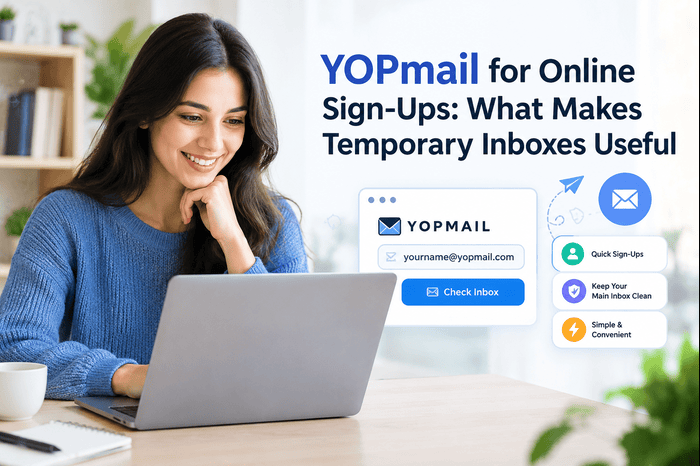
This is where YOPmail can be useful. It is a disposable email service that provides temporary inboxes without requiring traditional account registration or a password. Users can choose an email name and check incoming messages through the service.
For people who want to separate one-time online registrations from their regular email communication, a temporary inbox can be a practical option.
What Is YOPmail?
YOPmail is a disposable email service designed for short-term online activities. Instead of providing your personal email address when signing up for a website, you can use a YOPmail address and check messages received there.
The service states that its inboxes do not require registration or a password. Messages are retained for a limited period, currently stated by YOPmail as eight days, and users can manually remove messages as well.
This makes the service different from a traditional email account. It is not intended to replace your regular Gmail, Outlook, iCloud, or business email account.
Why Use a Temporary Inbox for Online Sign-Ups?
There are several situations where using a disposable email address can make sense.
1. Keep Your Main Inbox Organized
Some websites send newsletters, promotional updates, and other messages after registration. Using a separate temporary address can help keep these messages away from your primary inbox.
2. Try a Website or Service
If you want to explore a website before deciding whether you want a long-term account, a temporary inbox can separate the registration from your regular email address.
3. Receive One-Time Messages
Some online registrations require a confirmation email. A disposable inbox can be useful when you only need to receive a message and do not expect to use the email address for ongoing communication.
4. Test Email Workflows
Developers and businesses may also need temporary addresses when testing whether an email-based workflow or registration process works correctly. However, testing requirements can vary, so temporary email should be used only when appropriate for the system being tested.
How Does YOPmail Work?
One of the notable features of YOPmail is that users do not have to create a traditional account before checking an inbox. YOPmail explains that users can choose an email name and access the corresponding inbox.
A simple workflow looks like this:
- Choose a temporary email name.
- Use that address when completing an online registration.
- Open YOPmail and access the corresponding inbox.
- Check for the expected email.
- Read the message or use the required information.
- Avoid using the temporary address for accounts that require long-term access.
YOPmail also provides an email address generator for users who do not want to choose an inbox name themselves.
Important Privacy Considerations
Temporary email can be convenient, but users should understand how disposable inboxes differ from private email accounts.
YOPmail states that its inboxes are public and password-free. Because of this, users should choose unique inbox names and avoid placing sensitive or personal information in temporary inboxes. YOPmail also provides aliases intended to add an additional layer of privacy when using the service.
For this reason, a temporary inbox should not be treated like a secure personal mailbox.
Avoid using disposable email for accounts involving:
- Banking or financial information
- Password recovery
- Important business accounts
- Private conversations
- Sensitive personal information
- Accounts that you may need to access for a long period
The key is to match the email method to the importance and lifespan of the account.
YOPmail vs. a Regular Email Account
A regular email account is designed for long-term communication. It normally includes account ownership, password protection, recovery options, and persistent access.
A disposable service serves a different purpose. It can provide quick access to incoming messages without the setup required for a traditional account.
If you frequently need temporary addresses, understanding disposable email services can help you compare their features, limitations, and appropriate use cases.
The right choice depends on what you need. For long-term communication, a regular email account is more appropriate. For a low-stakes, short-term registration, a disposable inbox may be more convenient.
When Should You Avoid Temporary Email?
Temporary email is not suitable for every online registration. If an account contains information that you may need later, using a permanent email address is generally more practical.
For example, imagine creating an account for an important business platform. If you later forget the password, you may need access to the original email address to recover the account. A disposable inbox may not provide the long-term access required for this situation.
Before using YOPmail, ask yourself one simple question:
Will I need this email address again in the future?
If the answer is yes, using a permanent and protected email account may be the better approach.
Final Thoughts
YOPmail provides a simple way to separate temporary online registrations from your primary inbox. Its no-registration approach and temporary inbox functionality can be useful for low-stakes sign-ups, one-time messages, and certain testing scenarios.
However, convenience should not replace good judgment. Because YOPmail inboxes are public and do not use passwords, they should not be used for sensitive information or important accounts.
When used for the right purpose, a disposable inbox can be a practical tool for managing online sign-ups while keeping your regular email account more focused.
FAQs
1. What is YOPmail used for?
YOPmail is used for temporary email communication, such as certain website registrations, newsletters, and other situations where users do not want to provide their primary email address.
2. Does YOPmail require registration?
According to YOPmail, users do not need to register or create a password to use its disposable inbox service.
3. Are YOPmail inboxes private?
YOPmail states that its inboxes are public and password-free. Users should therefore avoid putting sensitive information in these inboxes and choose unique inbox names.
4. How long are messages kept on YOPmail?
YOPmail currently states that messages are kept for eight days, after which they are automatically removed. Messages can also be manually deleted.
5. Can YOPmail replace a regular email account?
No. A disposable inbox is designed for temporary or low-stakes use. Important accounts, sensitive communications, and services requiring long-term access should use a regular, protected email account.
For businesses looking to organize, extract, and automate information from everyday email communication, ExtractMails provides AI-powered email extraction and automation solutions.
Visit: smilebox