The first time I built a computer vision project, I made a mistake that most beginners probably make.
I assumed computer vision meant training a giant AI model from scratch.
A few hours later, I was staring at hundreds of lines of code, GPU errors, and datasets that were far bigger than I expected.
Then I discovered something that changed everything.
Most developers don’t build computer vision systems from scratch. They use tools that already solve many of the difficult problems.
Whether you’re trying to detect objects, recognize faces, track hands, or analyze videos, there’s probably a tool that does most of the heavy lifting.
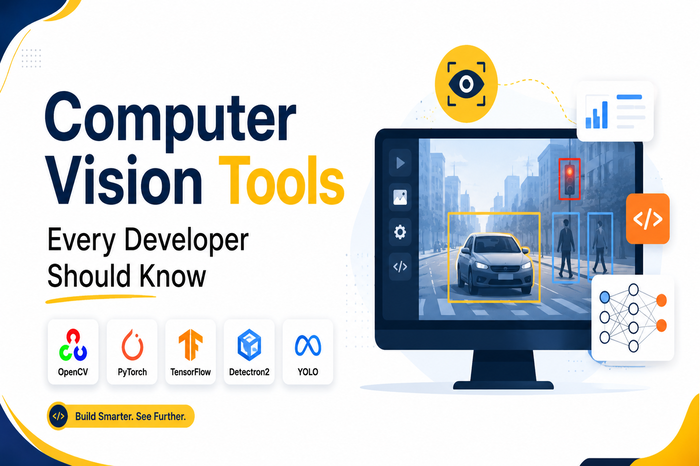
After trying several computer vision frameworks over the years, these are the seven tools I see recommended the most.
1. OpenCV
If someone asked me where to start with computer vision, I’d almost always recommend OpenCV.
It’s been around for years, and there’s a reason it continues to be the first choice for beginners and professionals alike.
OpenCV is a massive library for working with images and videos. Instead of writing image-processing algorithms yourself, you get thousands of built-in functions ready to use.
With OpenCV, I can:
- Read and edit images
- Detect edges
- Blur or sharpen photos
- Find faces
- Process webcam feeds
- Track moving objects
It’s also available in Python, C++, Java, and several other languages.
Best for
- Beginners
- Image processing
- Video analysis
- Real-time camera applications
Pros
- Huge community
- Excellent documentation
- Completely open source
Cons
- Deep learning features aren’t as advanced as newer frameworks
2. YOLO (You Only Look Once)
The first time I saw YOLO detect multiple objects in real time, it honestly felt like magic.
Cars.
People.
Dogs.
Traffic lights.
Everything appeared inside neat bounding boxes almost instantly.
That’s what YOLO is designed for.
Instead of analyzing an image several times, it looks at it once and predicts everything simultaneously. That’s why it’s incredibly fast.
Today, many robotics, surveillance, retail, and autonomous driving applications rely on YOLO for object detection.
Best for
- Real-time object detection
- Security cameras
- Robotics
- Self-driving systems
Pros
- Extremely fast
- High accuracy
- Easy to deploy
Cons
- Smaller objects can sometimes be difficult to detect
3. TensorFlow
When I wanted to move beyond basic image processing, TensorFlow was one of the first deep learning frameworks I explored.
TensorFlow isn’t only for computer vision, but it has a massive ecosystem for building image classification and object detection models.
You can train custom models or use pretrained networks that recognize thousands of different objects.
Its biggest advantage is scalability.
The same model can often move from your laptop to cloud infrastructure without major changes.
Best for
- Deep learning
- Image classification
- Production AI systems
Pros
- Strong ecosystem
- Production-ready
- Large community
Cons
- Steeper learning curve
4. PyTorch
If TensorFlow feels like engineering, PyTorch feels more like experimentation.
That’s probably why so many AI researchers prefer it.
I found debugging models much easier because the code feels closer to regular Python.
Another advantage is TorchVision, which includes datasets, pretrained models, and utilities specifically built for computer vision.
Many of today’s cutting-edge AI research papers release PyTorch implementations first.
Best for
- AI research
- Custom neural networks
- Experimental projects
Pros
- Easy to learn
- Flexible
- Great debugging experience
Cons
- Production deployment sometimes requires extra work
5. MediaPipe
MediaPipe impressed me because it solves problems that normally require months of AI development.
Want to detect hands?
There’s already a solution.
Need face landmarks?
Done.
Want pose estimation for fitness apps?
That’s built in too.
Instead of spending weeks training models, I could simply plug in MediaPipe and start building.
It’s especially useful for mobile apps because it’s lightweight and optimized for real-time performance.
Best for
- Face detection
- Hand tracking
- Pose estimation
- Gesture recognition
Pros
- Very fast
- Mobile friendly
- Ready-to-use AI models
Cons
- Less flexible for highly customized tasks
6. Detectron2
When projects become more advanced, Detectron2 enters the conversation.
Built by Meta AI, it’s designed for high-performance computer vision research.
Unlike simpler object detectors, Detectron2 supports:
- Object detection
- Instance segmentation
- Panoptic segmentation
- Keypoint detection
I wouldn’t recommend starting with Detectron2 as a beginner.
But if you’re building enterprise-grade AI systems, it’s one of the most powerful options available.
Best for
- Advanced AI research
- Enterprise applications
- Segmentation tasks
Pros
- State-of-the-art performance
- Highly customizable
- Research focused
Cons
- Higher learning curve
7. Roboflow
One thing I underestimated when learning computer vision was how much time goes into preparing datasets.
Collecting images.
Labeling objects.
Organizing files.
Training models.
Deploying everything.
Roboflow simplifies nearly all of that.
Instead of juggling multiple tools, you can manage datasets, annotate images, train models, and deploy them from one platform.
For teams building computer vision products quickly, that’s a huge advantage.
Best for
- Dataset management
- Image annotation
- Model training
- Faster deployment
Pros
- Beginner friendly
- Saves hours of manual work
- Supports many frameworks
Cons
- Some advanced features require a paid plan
Quick Comparison
| Tool | Best For | Beginner Friendly |
|---|---|---|
| OpenCV | Image Processing | ⭐⭐⭐⭐⭐ |
| YOLO | Object Detection | ⭐⭐⭐⭐ |
| TensorFlow | Deep Learning | ⭐⭐⭐ |
| PyTorch | AI Research | ⭐⭐⭐⭐ |
| MediaPipe | Face & Pose Tracking | ⭐⭐⭐⭐⭐ |
| Detectron2 | Advanced Detection | ⭐⭐ |
| Roboflow | Dataset Management | ⭐⭐⭐⭐⭐ |
Which One Would I Choose?
If I were starting from scratch today, here’s the path I’d follow.
I’d begin with OpenCV because it teaches the fundamentals of working with images.
Once I felt comfortable, I’d move to YOLO for object detection since seeing real-time predictions is both practical and motivating.
After that, I’d learn either PyTorch or TensorFlow to understand how deep learning models work.
If my goal were to build mobile apps with features like hand tracking or face detection, I’d pick MediaPipe.
And if I were building a production computer vision product with a team, Roboflow would probably become part of my workflow simply because it removes so much manual work.
Final Thoughts
Computer vision can feel overwhelming at first because there are so many frameworks available. If you’re planning to build a commercial AI product, working with an experienced computer vision development company can also help you choose the right tools and accelerate development.
I learned that you don’t need to master every tool.
Each one solves a different problem.
Start with OpenCV to understand the basics, experiment with YOLO to build exciting real-time applications, and gradually explore PyTorch or TensorFlow when you’re ready for deep learning.
The best computer vision tool isn’t necessarily the most powerful one. It’s the one that helps you build your next project without getting stuck.